To make your casual dating experience more amusing, C-Date has the following features.
My Matches
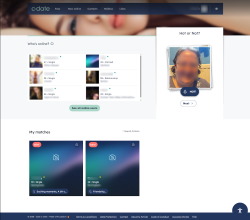
C-Date sends contact proposals to your email based on your selected criteria. On the website, you can view additional matches and their details in the "My Matches" tab. These details may include age, sexuality, appearance, region, and preferences.
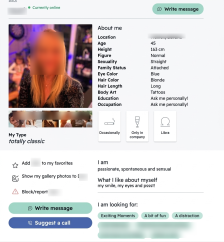
My Type
This feature allows you to identify your erotic type using five images. After choosing five images, your erotic type will be determined whether it is conventional, romantic, adventurous, or wild. This result will be displayed on your profile.
Photo Release
By unticking the box beside the 'All women can see my photo,' your photo will appear blurred to your matches. You can release your photos to certain individuals if they ask you or whenever you want to.
Search Criteria
C-Date lets you update your partner preferences in the Search Criteria section. You use these settings to narrow down match results based on your interests.
Hot or Not?
C-Date offers the Hot or Not swipe feature to quickly like or skip profiles. You can track liked profiles in your Likes list and see who liked your photos.
Mailbox
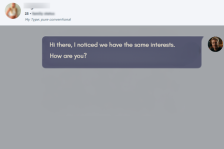
C-Date stores all conversations in the Mailbox, including replies to your Question of the Day. Photo sharing needs mutual consent, limits uploads to five images per chat, and includes blurred previews with expiration and reporting options.
Question of the Day
The "Question of the Day" helps start conversations by allowing you to answer prompts that you can compare with your matches. You can edit or hide your answers at any time in your profile under "My opinion on." This gives you control over what others can see.
My Visitors
C-Date shows recent profile views in the "My Visitors" feature. Visitor data is stored for 24 hours unless you upgrade to premium.
My Favourites
C-Date saves selected profiles in the "My Favourites" list. You use this list to manage your preferred contacts.
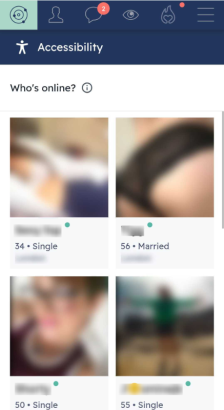
Now Online
C-Date displays active users in the "Now Online" list. You can use this list to start real-time messaging with available members.
Accessibility menu
C-Date includes accessibility features such as keyboard navigation, contrast mode, and zoom mode. These tools improve visibility, control, and reading comfort.
Video Call
C-Date allows video calls after you exchange messages with another member. This requirement ensures you have a basic level of interaction before starting a call.